 Smart Sudoku
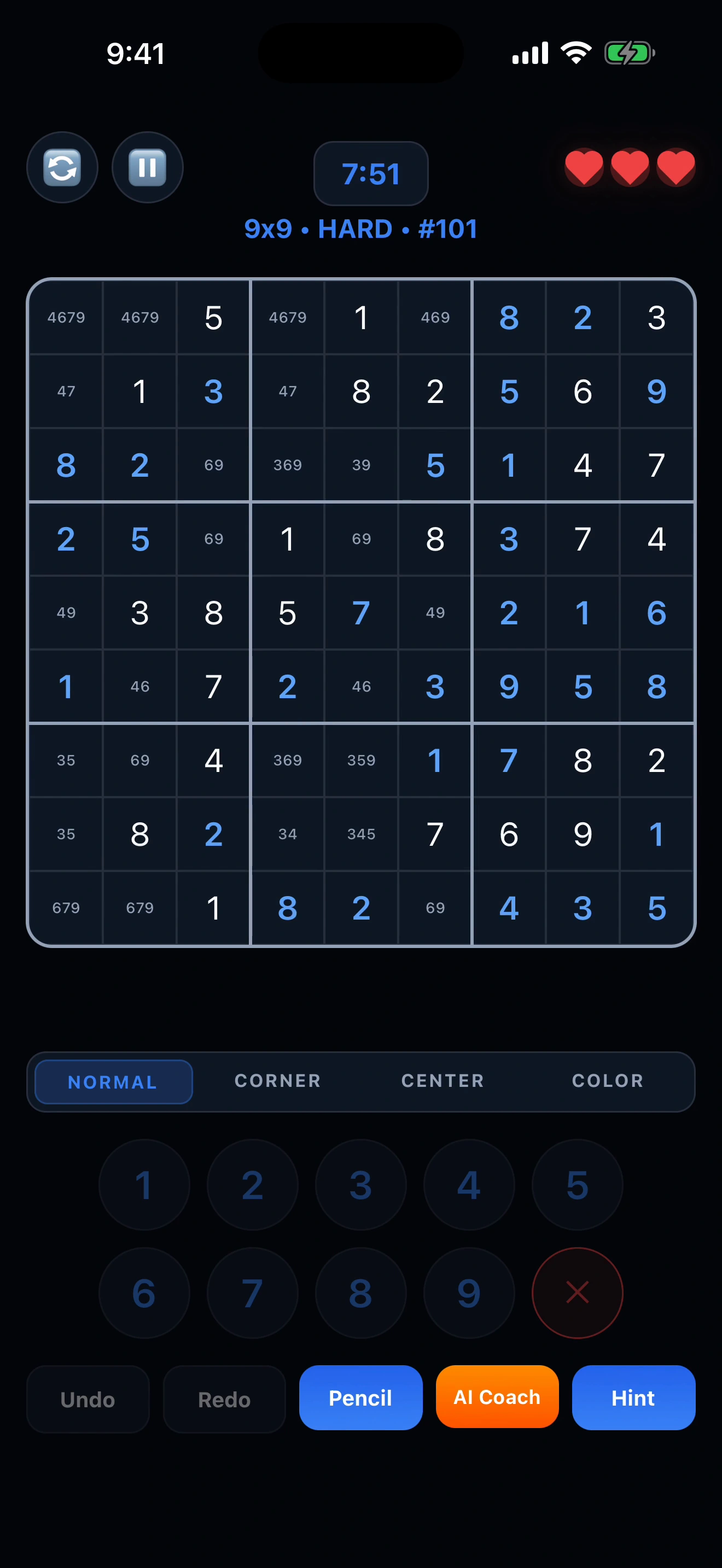
Pencil marks
Keep possible numbers in view. Use corner or centre notes, or Auto Pencil to organise candidates.
NOW ON iPhone & iPad
A good Sudoku move deserves a good explanation. Explore the logic with AI Coach, organise your pencil marks, and find your own way forward.
Free download · Offers in-app purchases · iOS 15.1+
GET PAST “WHAT GOES HERE?”
AI Coach looks for supported logical techniques on your current board. Follow the idea, locate the relevant cells, understand the reasoning, then try the move.
A CLOSER LOOK: X-WING
Look at candidate 6 in columns 1 and 6. In each of those columns, it appears only in rows A and I. That is the X-Wing pattern.
Columns 1 and 6 each need one 6. Their only possible positions are in rows A and I.
If A1 is 6, I6 must be 6. If I1 is 6, A6 must be 6. Either way, those two rows each get their 6 from these columns.
So other cells in rows A and I cannot contain 6. In this example, remove candidate 6 from A2, A4 and I2.
YOUR PUZZLE, YOUR WAY
Keep possible numbers in view. Use corner or centre notes, or Auto Pencil to organise candidates.
Give your day a little puzzle time, with a daily challenge and progress to look back on.
Choose your colours, highlighting, coordinate labels and other game preferences.
Start with a smaller 6×6 board or settle into a classic 9×9. Explore difficulties at your own pace.
It explains supported Sudoku techniques using the current board and its candidate information. Some positions need more pencil marks or another technique; it does not promise a lesson for every possible position.
English, Traditional Chinese, Simplified Chinese, Japanese and Korean.
The app is free to download and offers optional in-app purchases. Coach access and other benefits depend on the plan shown in the app; some free-tier features use rewarded ads.
Yes. Onboarding and game settings let you choose preferences such as colours, highlighting, pencil marks and coordinate labels.
Open a puzzle. Take your time. Learn something along the way.